Talk about anything related to Tajima DG16 by Pulse here
Tool options: Bezier etc. and Tool Icon collapsing
|
MrLogoSD Posts: 19
5/8/2026
|
In DGML 12, on the bottom there used to be 5-6 letters, say with Satin stich, that you would press the corresponding letter B for Bezier(?) to be able to use the tools better. With 16 I don't see them at all. Is there a way to bring them back?
Also, for other tools like the Fonts, or Machine queue tools. Is there a way to expand them permanently without having to hard press them to see the options or press the small arrow?


Edit: Ok, so I found the tool guide on the right side, but there used to be a way to just see the letters on the bottom without that whole descriptions, is that not an option anymore?
edited by MrLogoSD on 5/8/2026
edited by MrLogoSD on 5/8/2026
|
|
|
0
link
|
|
izšuvums.lv Posts: 31
5/9/2026
|
The first part of the question is not entirely clear to me. I also started with version 12, but it was so long ago that I do not remember anything. Perhaps you could provide more details on what was meant.
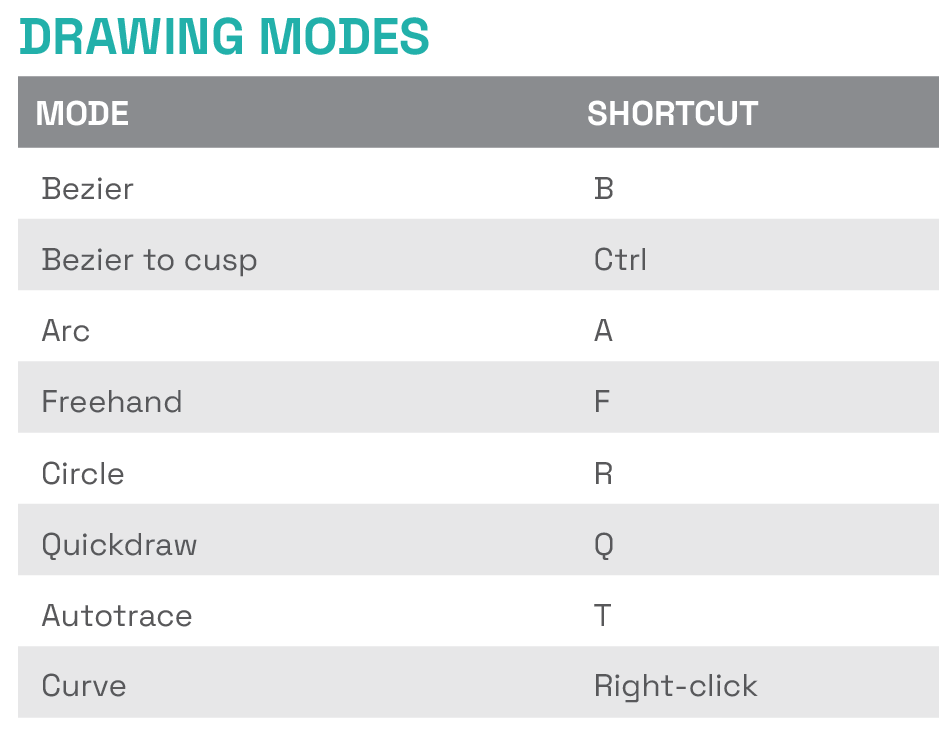
If you mean drawing modes, they have not gone anywhere. You can download the Quick Reference Card from the official website where all program shortcuts are listed. The Drawing Modes section will show all available drawing types. Personally, I use quickdraw almost 100% of the time.
https://cloud.pulsemicro.com/Download
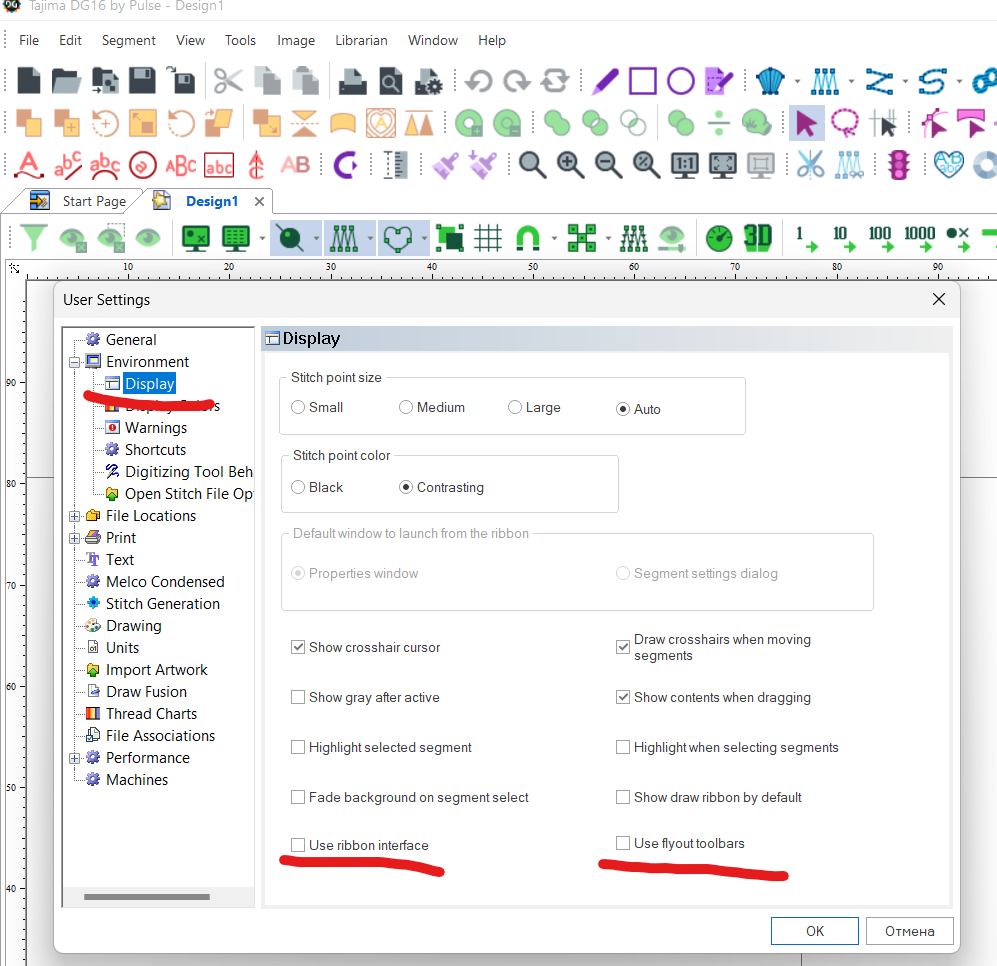
The second part of the question. I remember that just like you, I faced the unfamiliarity of the new interface and wanted to change it back. Now, I have gotten used to the ribbon and use only that, and the old view has become unfamiliar and even inconvenient. But at that time, it did not seem so to me. To return to the old interface display, you need to uncheck these checkboxes.
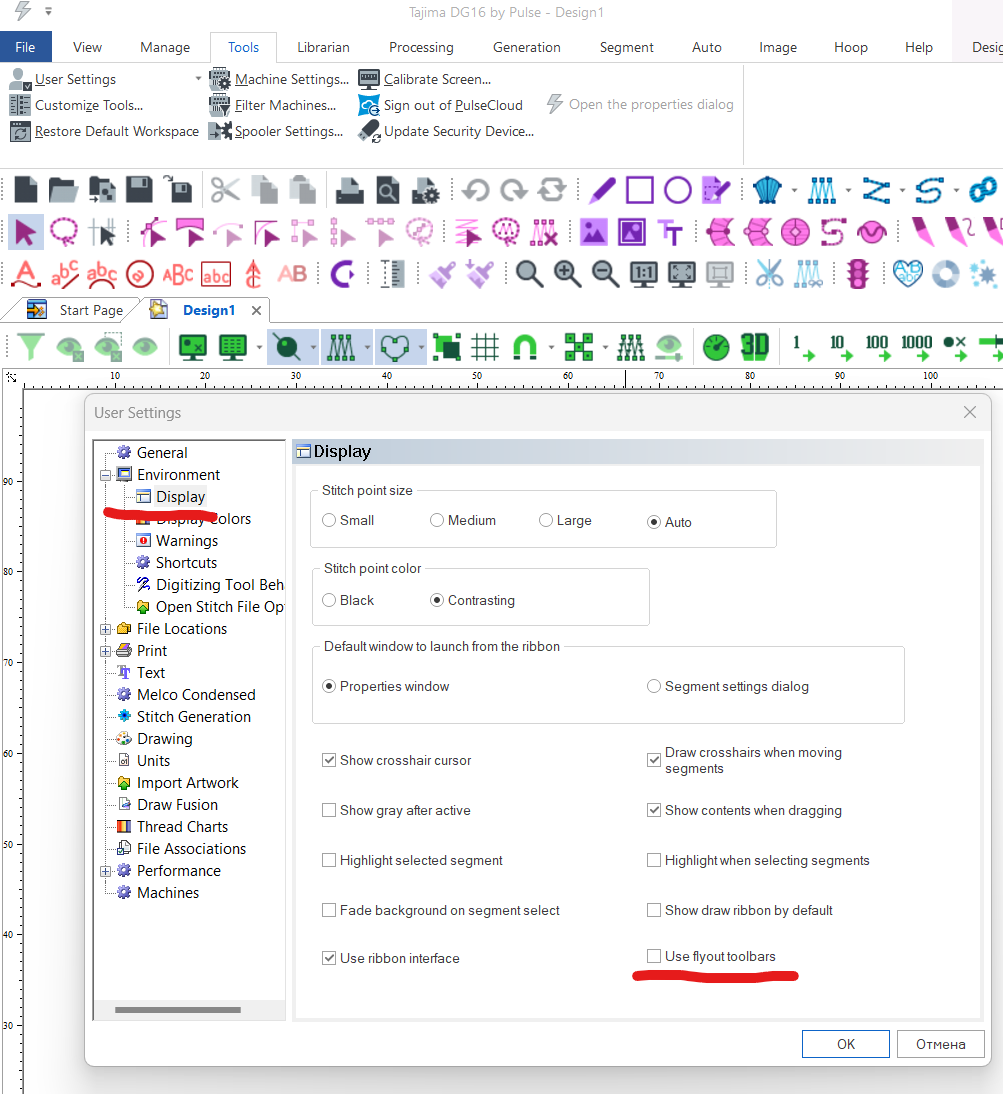
or
MrLogoSD wrote:
In DGML 12, on the bottom there used to be 5-6 letters, say with Satin stich, that you would press the corresponding letter B for Bezier(?) to be able to use the tools better. With 16 I don't see them at all. Is there a way to bring them back?
Also, for other tools like the Fonts, or Machine queue tools. Is there a way to expand them permanently without having to hard press them to see the options or press the small arrow?
Edit: Ok, so I found the tool guide on the right side, but there used to be a way to just see the letters on the bottom without that whole descriptions, is that not an option anymore?
edited by MrLogoSD on 5/8/2026
edited by MrLogoSD on 5/8/2026
|
|
|
0
link
|